
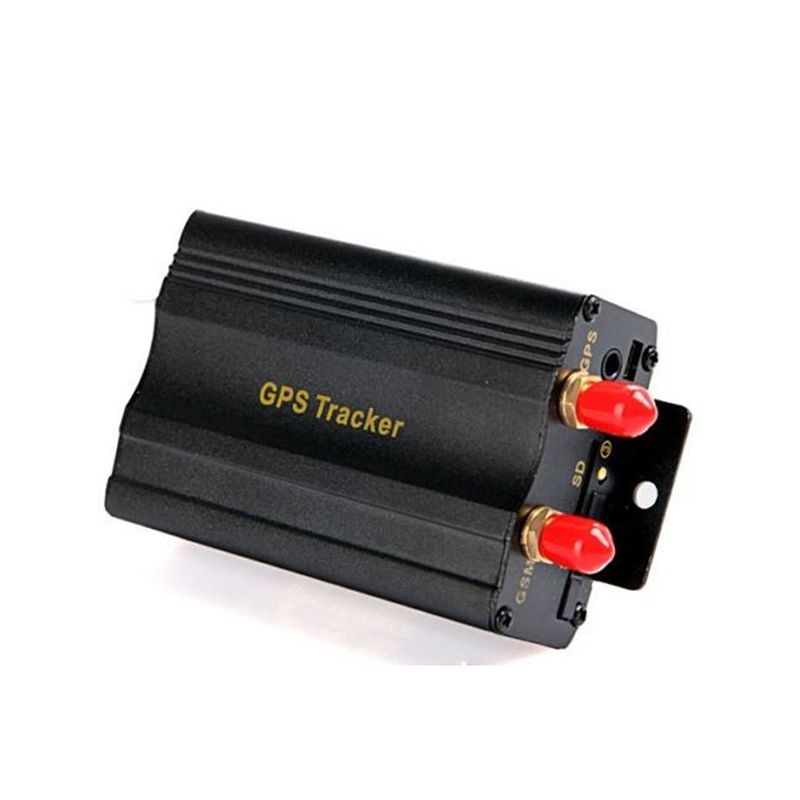


The Appello TK103B is a versatile GPS tracker that offers a range of features to help you keep track of your vehicles, equipment, or even loved ones. With its GSM/GPRS communication capabilities, it can be used worldwide and allows for real-time tracking using your computer, PDA, cell phone, Google Earth, or the Appello platform. One of the standout features of the TK103B is its remote control functionality, which sets it apart from other models. This feature allows you to control the tracker remotely, giving you added convenience and flexibility. In addition to real-time tracking, the TK103B also offers auto track capabilities, which automatically retrieves information at set intervals. It can provide you with detailed information such as longitude, latitude, speed, and time. You can even get the real address name by setting the APN. The TK103B is equipped with a high-sensitivity GPS receiver, ensuring quick signal acquisition and responsiveness to your calls or SMS. It also offers a range of alerts, including geo-fencing, movement alert, over-speed alert, low battery alert, SOS alarm, and GPS off alert. These alerts help you stay informed and ensure the safety and security of your assets. With its state checking function, the TK103B allows you to monitor the status of the GSM, GPS, GPRS, and battery. This ensures that you are always aware of the tracker's performance and can take appropriate action if needed. The TK103B is suitable for a variety of applications, including vehicle rental, outdoor machines and equipment, and even personal use. It supports point-to-point, point-to-group, and group-to-group monitoring, making it a versatile choice for different tracking needs. Whether you are a business owner looking for peace of mind, a manager needing to manage personnel, or even someone wanting to track criminals discreetly, the TK103B has you covered.
Set Up TK103B
To set the tracker send the following commands by SMS messages, the sample setup the device password is r0nXgj, this password is the default
-
Factory reset
beginr0nXgj -
Set the time zone UTC-0
time zoner0nXgj 0 -
Set the operator APN
apnr0nXgj {{apn}} -
Set the APN username and password
upr0nXgj {{apnu}} {{apnp}} -
Set the GPRS server
adminipr0nXgj 54.85.159.138 8888 -
Switch to GPRS mode
gprsr0nXgj
To check settings checkr0nXgj